Link Preview Not Showing? Fix It on WhatsApp, X & LinkedIn
Your link shows no image or an old preview on WhatsApp, X or LinkedIn? Here are the 5 most common causes and how to force a refresh on each platform.
You paste a link into WhatsApp, X, or LinkedIn and what comes back is a bare URL, an empty card, or an image you're pretty sure you replaced weeks ago. Nine times out of ten it's one of five problems with your meta tags, or the platform is just showing you a cached preview from before you fixed anything. The fastest way to see which is to run your URL through the meta tag checker, which flags exactly which tags are missing or broken. None of these take more than about 10 minutes once you know which one you're dealing with.
How platforms build link previews
When you paste a link, the platform's crawler fetches your page and reads a handful of meta tags from the HTML <head>:
<meta property="og:title" content="Your Page Title" />
<meta property="og:description" content="One or two sentences about the page." />
<meta property="og:image" content="https://yourdomain.com/og.png" />
<meta name="twitter:card" content="summary_large_image" />
The og: tags are the Open Graph standard, used by WhatsApp, LinkedIn, Facebook, Slack, Discord — basically everyone. X reads its own twitter: tags first and falls back to Open Graph if they're missing.
The bit that trips most people up: every platform caches the preview the first time it crawls your link, usually for about a week. WhatsApp is the worst offender — sometimes it sits on a cached preview for weeks with no real pattern to it. So if your tags were broken the first time anyone shared the link, fixing them on your end isn't enough. The platform keeps serving the old, broken version until something forces it to re-crawl. That's the whole story behind "I fixed it, but it's still showing the old preview" — and how to force that re-crawl on each platform is further down.
The 5 most common causes
1. Missing og:image, or the wrong size
No og:image tag means most platforms fall back to a text-only card, or nothing at all. And if the image is too small, the wrong aspect ratio, or too heavy, platforms tend to crop it badly or drop it without telling you why.
The spec that works everywhere:
- 1200 × 630 pixels (1.91:1 aspect ratio)
- JPG or PNG — not SVG, not GIF (WhatsApp ignores both)
- Under 300 KB if you can manage it. WhatsApp officially allows up to 600 KB but often fails to load heavier images on mobile connections, so smaller is safer.
<meta property="og:image" content="https://yourdomain.com/og-image.png" />
<meta property="og:image:width" content="1200" />
<meta property="og:image:height" content="630" />
2. Relative image URL instead of absolute
Crawlers fetch your image from a different server, not from inside your page, so a relative path means nothing to them.
<!-- Wrong — crawler can't resolve this -->
<meta property="og:image" content="/images/og.png" />

<!-- Right — full absolute URL, with https -->
<meta property="og:image" content="https://yourdomain.com/images/og.png" />
While you're in there: both the image URL and the page itself need to be served over HTTPS. WhatsApp refuses plain HTTP outright. The image also has to be publicly reachable — no login wall, no staging basic-auth, no localhost.
3. The platform is showing you a cached preview
You find the bug, fix the tag, redeploy, share the link again — and the preview hasn't changed at all. This is cache, not your code. Platforms store the preview from their first crawl and reuse it for roughly a week (LinkedIn and X around 7 days; WhatsApp anywhere from days to weeks, with no published rule).
The fix isn't on your site, it's telling the platform to re-crawl. Jump to the refresh section below.
4. Your meta tags are rendered by JavaScript
Crawlers read the initial HTML response from your server, and most of them don't run JavaScript. If your site is a client-rendered React/Vue/SPA app that injects meta tags after load, the crawler sees an empty <head> and gives up — no preview at all.
Quick test: open your page, hit View Source (not DevTools "Inspect"), and search for og:title. If it's not there, the crawler can't see it either.
The fix is rendering meta tags on the server — Next.js (the Metadata API or generateMetadata), Nuxt, SvelteKit, Astro, or a plain server-rendered page all handle this. If switching to SSR isn't an option right now, a prerendering service for crawler user-agents is a workable stopgap.
5. Redirects or an og:url mismatch
If your URL bounces through several redirects (http → https → www → final page), some crawlers give up partway through, or cache the preview against the wrong URL. Same problem if your og:url tag points somewhere other than the page itself — the crawler may follow it and scrape that page instead.
Keep it simple:
<!-- og:url should match the canonical, final URL of the page -->
<meta property="og:url" content="https://yourdomain.com/blog/my-post" />
One redirect (say, http → https) is fine. Chains of three or more, or anything JavaScript-based, is where previews tend to break.
Why is my X (Twitter) link preview not showing?
If your link shows up as a bare URL on X with no image or title card, it's usually one of three things.
Missing twitter:card tag
X looks at the twitter:card tag to decide whether to render a rich preview. No tag means no card, so you get a plain link. For the large image card, you need:
<meta name="twitter:card" content="summary_large_image">
<meta name="twitter:title" content="Your title">
<meta name="twitter:description" content="Your description">
<meta name="twitter:image" content="https://yoursite.com/preview.png">
If you don't want separate Twitter tags, X will fall back to your Open Graph tags (og:title, og:description, og:image). But you still need twitter:card for the large image layout. Without it you get the small thumbnail version.
Missing or unreachable og:image
Even with the right card type, X won't show an image it can't load. Common cases:
- No
og:imageat all - A relative path like
/images/preview.png(X can't resolve relative URLs, it has to be an absolutehttps://URL) - The image is behind auth, blocked by robots, or too large
X cached an old preview
You fixed your tags but X still shows the old or empty preview. X caches previews for a while, so it's serving what it saw the first time, not your updated page.
X retired its public Card Validator, so there's no button to force a refresh anymore. The cache usually clears on its own within a few days. To speed it up, add a query string when you share the link (yoursite.com/?v=2). X reads it as a new URL and fetches your tags again.
Check what X sees before you post
Run your URL through a checker that reads the page the same way X's crawler does, so you can confirm twitter:card and og:image are there before the preview gets cached wrong. You can check your tags here.
Force a refresh, platform by platform
Tags fixed? Now you need to make each platform forget what it saw before.
LinkedIn link preview not updating
LinkedIn has the best tool of the bunch: the Post Inspector. Paste your URL, hit Inspect, and LinkedIn re-scrapes the page on the spot — that alone refreshes the cached preview. It also shows you exactly which title, description, and image LinkedIn picked up, so it doubles as a debugger. No login needed.
WhatsApp link preview not showing
WhatsApp doesn't have an official debug or refresh tool at all. Two workarounds:
- Append a query parameter — share
https://yourdomain.com/page?v=2instead of the bare URL. WhatsApp caches by exact URL, so any new parameter triggers a fresh crawl. This is the more reliable of the two. - Run the URL through Facebook's Sharing Debugger (below). WhatsApp shares Meta's crawler infrastructure, so a Facebook re-scrape occasionally refreshes WhatsApp's cache too. Not guaranteed, but worth trying first.
One more WhatsApp quirk: previews get baked into messages at send time. Old chats keep the old preview no matter what you fix on your end — only newly sent messages pick up the new one.
Facebook preview not updating
Use the Sharing Debugger (needs a Facebook login). Paste your URL and click Scrape Again — Facebook re-fetches the page and updates its cache immediately. The debugger also lists every tag it read along with any warnings, which is useful even if Facebook isn't your target platform, given the WhatsApp crossover above.
How to catch this before you ship
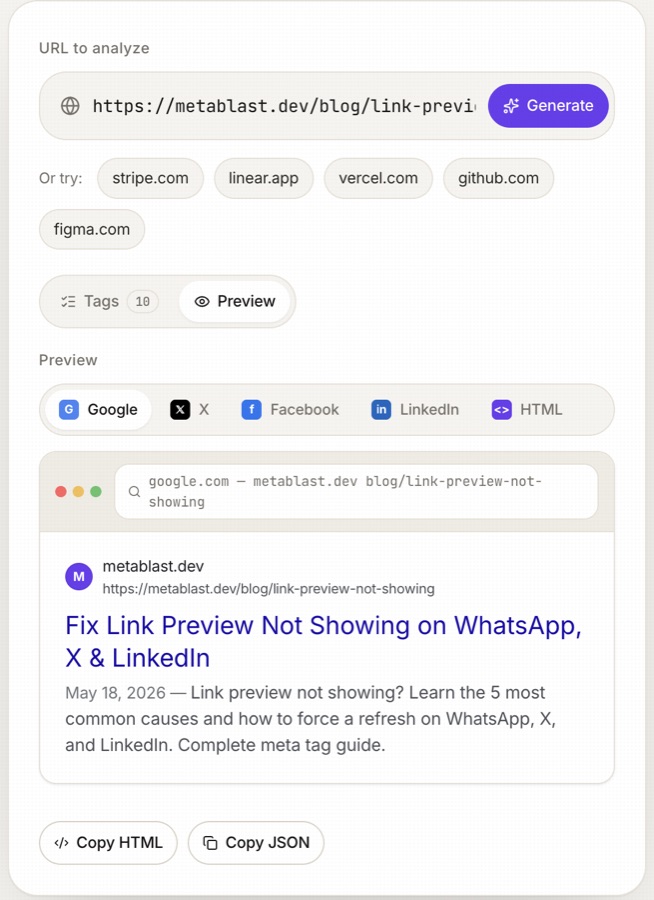
Broken previews are the kind of bug you only notice after you've already shared the link — and by then the broken version is cached for a week. The real fix is checking the preview before the first share, not after. The Open Graph preview tool renders your X, Facebook and LinkedIn cards side by side from any URL, so you see what the crawlers see before anyone else does. There's no separate WhatsApp preview, but WhatsApp pulls from the same Open Graph tags as Facebook, so the Facebook card is a good stand-in for what WhatsApp will show too.
If you're setting up meta tags from scratch, our other post covers the basics: Meta descriptions in 2026: what actually works.
FAQ
Why does my link show no image on WhatsApp?
Usually one of three things: a missing or relative og:image tag, an image that's too heavy (stay under 300 KB — JPG or PNG, never SVG or GIF), or a page that isn't served over HTTPS. WhatsApp is stricter than other platforms on all three. Fix the tag, then share the URL with ?v=2 appended to get past WhatsApp's cache.
Why is my X link preview not showing?
Usually a missing twitter:card tag, a missing or relative og:image URL, or X serving a cached preview from before your fix. Add <meta name="twitter:card" content="summary_large_image" />, make sure og:image is an absolute https URL, and share the link with ?v=2 appended to get past X's cache.
How long does LinkedIn cache link previews?
About 7 days, but you don't have to wait it out — running your URL through the Post Inspector forces an immediate re-scrape and refreshes the cached preview right away.
I updated my og:image but the old one still shows. Why?
That's cache, not your fix. Every platform stores the preview from its first crawl and keeps serving it for days, regardless of what's live on your site now. Use LinkedIn's Post Inspector or Facebook's Sharing Debugger to force a re-scrape, or append a query parameter like ?v=2 for X and WhatsApp.
Do I need twitter:card tags if I already have Open Graph tags?
X falls back to og: tags, so previews mostly work without it. But add <meta name="twitter:card" content="summary_large_image" /> anyway — without it, X shows the small thumbnail card instead of the large image one, which gets a lot less attention in the feed.
Generate meta tags for your site in seconds
Paste any URL. MetaBlast writes production-ready HTML — free to start.
Try MetaBlast free →